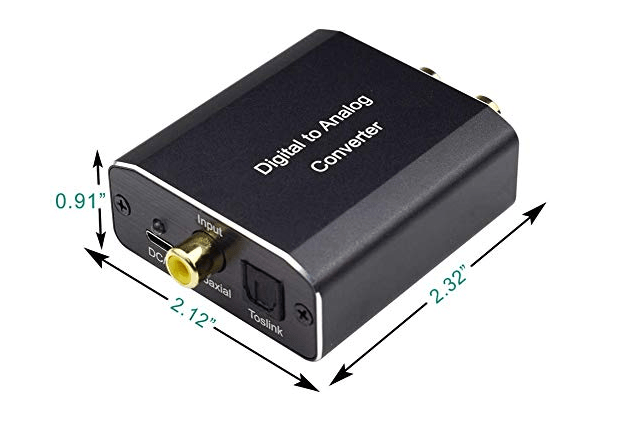
Digital Audio RCA plugs, often referred to as S/PDIF RCA (Sony/Philips Digital Interface Format), are a standardized physical connector used to transmit digital audio signals between devices. Unlike analog RCA plugs (which carry analog audio), these plugs transmit audio as binary data, ensuring lossless, noise-free transmission.
1. Physical Design and Characteristics
- Plug Style:
- A cylindrical metal plug with a central pin (for signal) and an outer metal sleeve (for ground), identical in shape to analog RCA plugs (often called “phono plugs”).
- Typically colored orange or black to distinguish them from analog RCA (red/white for stereo, yellow for composite video).
- Cable Construction:
- Uses coaxial cable (a single copper conductor surrounded by insulation, a braided shield, and an outer jacket) to minimize electromagnetic interference (EMI) and preserve digital signal integrity.
- The shield is critical for reducing noise, as digital signals are sensitive to interference that could corrupt binary data.
2. How Digital Audio RCA Works
- Signal Type: Transmits S/PDIF digital audio, which encodes audio data (PCM, Dolby Digital, DTS, etc.) into electrical pulses. This differs from analog RCA, which carries continuous voltage variations representing sound waves.
- Supported Formats:
- PCM (Pulse Code Modulation): Uncompressed audio (e.g., 2-channel stereo, 44.1 kHz/16-bit CD quality, or higher resolutions like 96 kHz/24-bit).
- Compressed Surround Sound: Formats like Dolby Digital (5.1), DTS (5.1), and Dolby Digital Plus (7.1), common in home theaters and Blu-ray players.
- Data Rate: Up to 6 Mbps, sufficient for most consumer audio formats (though limited compared to HDMI or optical TOSLINK for ultra-high-resolution audio).
3. Use Cases and Compatibility
- Common Devices with Digital RCA Outputs:
- Blu-ray/DVD players, gaming consoles (e.g., PlayStation, Xbox), set-top boxes, and older TVs.
- CD players, digital mixers, and some audio interfaces.
- Devices with Digital RCA Inputs:
- AV receivers, soundbars, amplifiers, and external DACs (Digital-to-Analog Converters).
- Typical Applications:
- Connecting a Blu-ray player to an AV receiver to transmit 5.1 surround sound.
- Routing high-quality stereo audio from a CD player to a DAC for improved analog conversion.
4. Comparison with Other Digital Audio Interfaces
| Interface | Plug Style | Max Data Rate | Key Advantages | Limitations |
|---|---|---|---|---|
| Digital RCA (S/PDIF) | RCA (coaxial) | ~6 Mbps | Low cost, durable, good for long cables | Limited to 5.1 surround; susceptible to EMI |
| TOSLINK (Optical) | Square optical port | ~6 Mbps | Immune to EMI; lightweight | Fragile cables; limited cable length (~5m) |
| HDMI | HDMI Type-A/C | Up to 48 Gbps | Supports 7.1/Atmos, video+audio in one cable | More expensive; bulkier cables |
5. Advantages of Digital RCA
- Durability: Metal RCA plugs are sturdier than fragile TOSLINK optical connectors, making them ideal for frequent plugging/unplugging.
- Cable Length: Can reliably transmit signals over longer distances (up to 10 meters) compared to TOSLINK (typically 5 meters).
- Cost-Effectiveness: Coaxial cables and RCA plugs are cheaper than HDMI or high-end optical cables, suitable for budget setups.
- Backward Compatibility: Works with older devices that lack HDMI but support S/PDIF (e.g., vintage AV receivers).
6. Limitations to Consider
- EMI Sensitivity: While shielded, coaxial cables can still pick up electromagnetic interference from power cables or motors, potentially causing audio glitches.
- Format Restrictions: Cannot transmit high-resolution surround sound formats like Dolby Atmos or DTS:X (limited to 5.1 or stereo PCM).
- No Video Support: Unlike HDMI, digital RCA only carries audio, requiring a separate video connection (e.g., HDMI or component video).
7. Tips for Optimal Performance
- Use Quality Cables: Choose shielded coaxial cables (with 75Ω impedance, standard for digital audio) to minimize interference.
- Avoid Signal Splitters: Digital RCA signals degrade when split, so use direct connections between devices.
- Check Format Compatibility: Ensure both the source (e.g., Blu-ray player) and receiver support the same digital format (e.g., Dolby Digital) to avoid audio dropout.
- Color Coding: Use orange/black cables to distinguish digital RCA from analog RCA (red/white) to prevent accidental misconnection.
Conclusion
Digital Audio RCA plugs (S/PDIF coaxial) are a reliable, affordable solution for transmitting digital audio between consumer devices. While overshadowed by HDMI for modern home theaters, they remain valuable for legacy setups, budget systems, and applications where long cable runs or durability are priorities. Their simplicity and compatibility ensure they continue to play a role in digital audio ecosystems. to its predecessor (SCSI-1). Though replaced by newer interfaces like SATA and USB in mainstream use, it remains relevant in legacy industrial and retro computing setups.





















Leave a comment