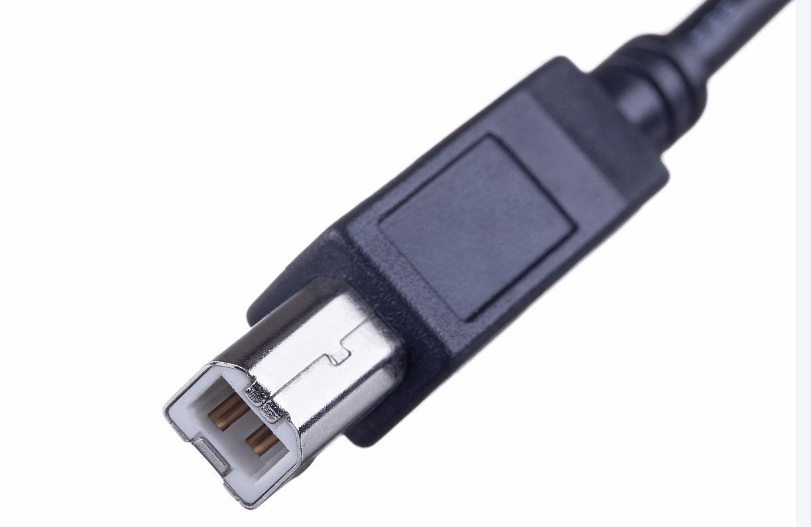
I. Basic Definition and Historical Background
The USB Type-B is a classic USB interface primarily designed for peripheral devices (e.g., printers, scanners, external hard drives) to connect with host devices (computers, chargers). First introduced with the USB 1.0 standard in 1996, it initially aimed to distinguish between host-side (Type-A) and device-side interfaces. Although less common today due to the rise of Type-C, it still serves specific industrial and legacy applications.
II. Physical Structure and Pin Configuration
1. Appearance and Dimensions
- Shape: Square with rounded corners, trapezoidal in side view to facilitate direction identification and prevent misinsertion.
- Size: Standard Type-B measures approximately 10mm × 8mm × 4.5mm, with smaller variants like Mini-B and Micro-B (now mostly obsolete) for portable devices.
2. Pin Functions (Standard 4-pin Design)
- Vcc: +5V power supply (500mA max in early versions, up to 900mA in USB 3.0).
- Data+/-: Transmit data signals.
- GND: Ground terminal.
3. USB 3.0 Upgrades
USB 3.0 and higher Type-B interfaces add 5 pins at the bottom for high-speed transmission (e.g., SuperSpeed mode), supporting up to 10Gbps (USB 3.2 Gen 2). These are often marked with an “SS” logo or a blue inner shell.
III. Transmission and Power Capabilities
- Data Rates: Ranging from 12Mbps (Full-Speed in USB 1.1) to 10Gbps (USB 3.2), suitable for high-speed needs of printers and external storage.
- Power Supply: Standard 5V/500mA (USB 2.0), 5V/900mA (USB 3.0), and partial compatibility with BC 1.2 protocol for up to 1.5A (7.5W). High-power PD charging is rare.
IV. Core Application Scenarios
- Office & Industrial Equipment: Traditional printers, scanners, medical devices, or factory controllers rely on Type-B for stability.
- Legacy Storage & Audio: Pre-2010 external hard drives and some professional audio interfaces (e.g., MIDI controllers).
- Outdated Devices: Early Xbox 360 controllers and old digital cameras (replaced by Micro-B/Type-C).
V. Advantages, Disadvantages and Trends
Advantages:
- Durability: Larger size makes it more resistant to wear than Micro-B, ideal for frequently connected devices (e.g., printers).
- Clear Directionality: Trapezoidal design reduces misinsertion risks (though direction still matters).
Disadvantages:
- Bulkiness: Incompatible with ultra-thin devices, less portable than Type-C.
- Functional Limitations: No native support for video output (e.g., DisplayPort) or high-power PD charging.
Trends:
- Replacement by Type-C: New peripherals prefer Type-C for its reversibility, high speed, and power capabilities.
- Niche Retention: Industrial equipment and legacy printers continue using Type-B for backward compatibility.
VI. Usage Notes
- Insertion Direction: Align the trapezoid’s wider end upward to avoid bending pins.
- Cable Matching: USB 3.0 Type-B cables are typically blue or labeled “SS”; using USB 2.0 cables limits speed.
- Adapter Solutions: Type-B to Type-A/Type-C adapters exist for legacy devices, but performance depends on adapter specs.
VII. Relation to Mini-B/Micro-B
- Mini-B: Formerly used in early MP3 players and cameras, now obsolete.
- Micro-B: Common in pre-2015 Android phones, replaced by Type-C.
While Type-B is fading in consumer electronics, its role in office and industrial settings reflects the evolutionary trajectory of USB interfaces, with Type-C emerging as the modern standard.





















Leave a comment